
A Better Way to Manage Patient Waitlists
Keep waiting patients organized, communicate consistently, and quickly identify who to contact when an appointment or service becomes available.
14-day free trial · No credit card required
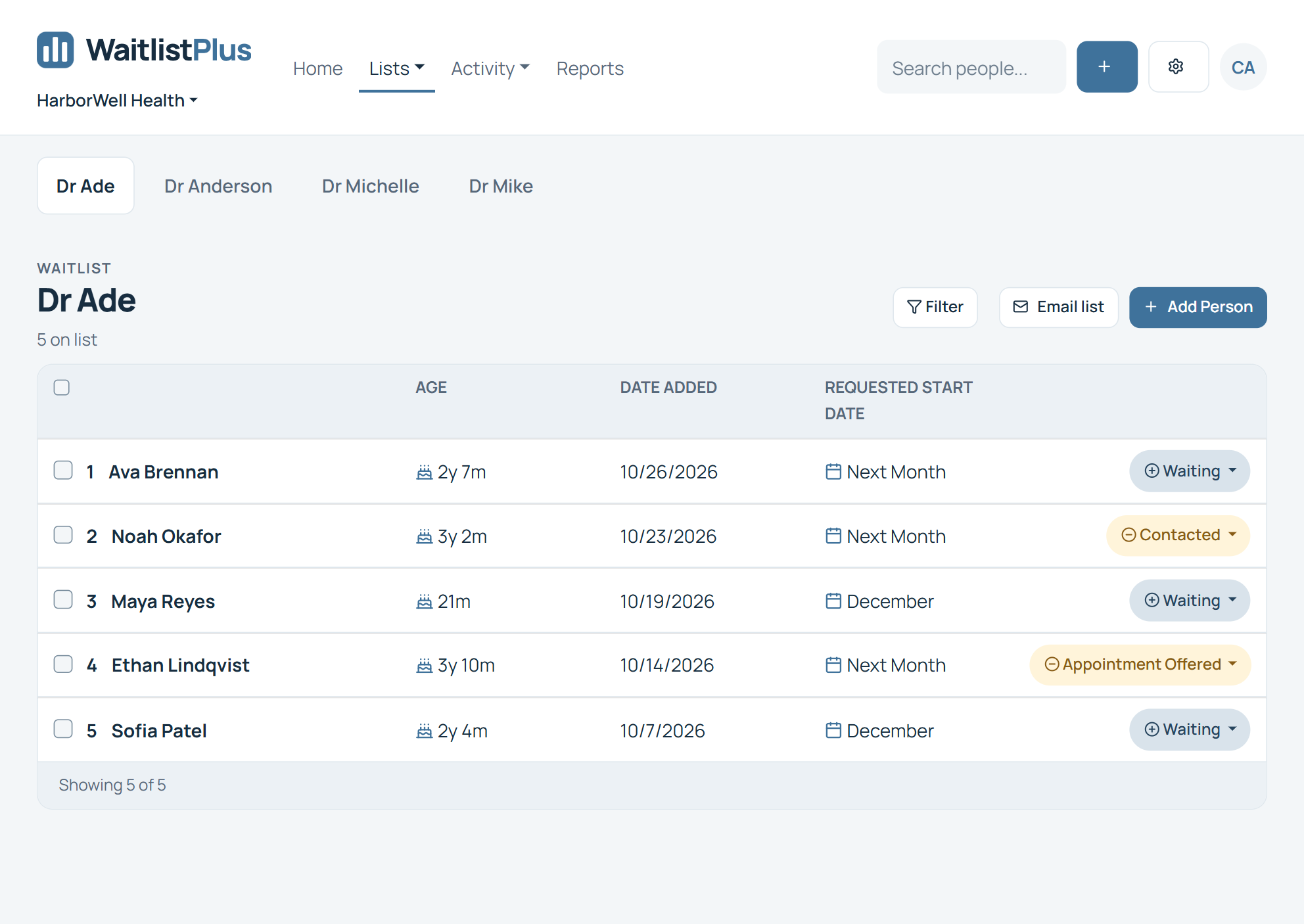
A patient waitlist shouldn't live in a spreadsheet
When demand exceeds availability, your team needs to know what each patient is waiting for, who has been contacted, whether they still need the appointment, and what should happen next.
WaitlistPlus gives your team one organized place to manage that process.
Scattered information
Spreadsheets, notes, and inboxes make it difficult for staff to work from one current list.
Time-consuming follow-up
Repeated calls and emails make checking continued interest a manual task.
Openings are time-sensitive
When availability appears, staff need to identify appropriate groups to contact.
From waiting patient to filled opening
A clearer administrative process for the people waiting for availability.
Collect
Add people to the appropriate list through your organization’s configured workflow.
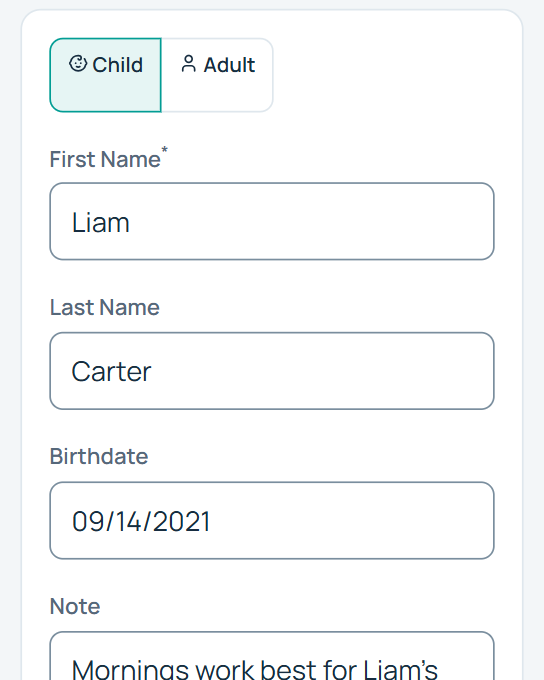
Organize
Manage lists by provider, service, location, priority, and dates.
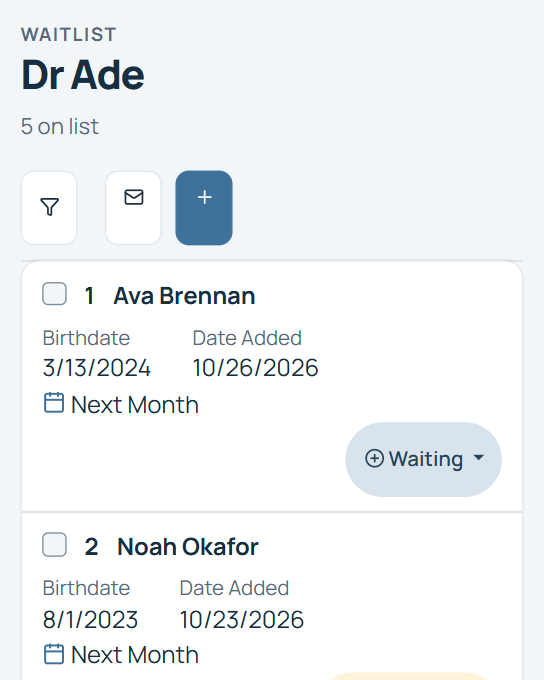
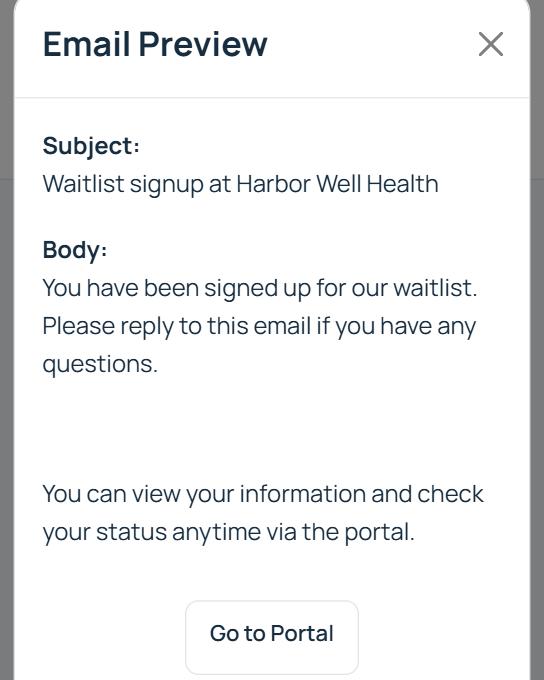
Communicate
Stay in touch and confirm continued interest.
Fill the opening
Track contacts and update administrative statuses as availability is filled.
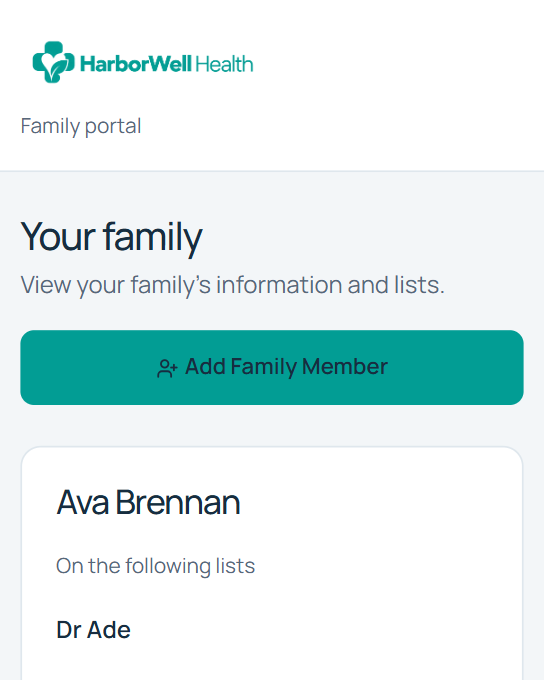
Manage different providers, services, and locations
Create separate lists that reflect the way your healthcare organization operates.
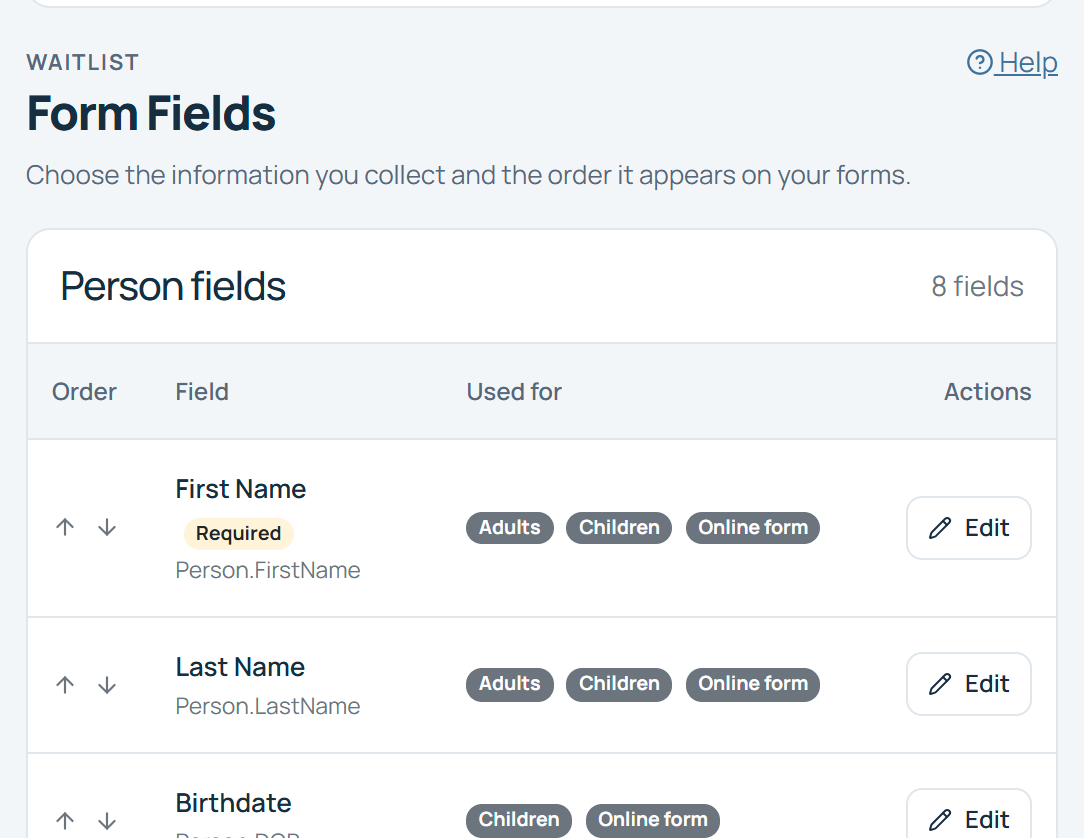
Track the information your waitlist process needs
Use custom fields for the administrative information your team needs to manage the waitlist.
Example fields: provider, service, preferred location, date added, desired timing, administrative priority, and other organization-defined information.
Choose fields that support your administrative process and keep clinical records in your existing clinical systems.
Find the right group when availability opens
Search and filter to identify people who may be appropriate to contact.
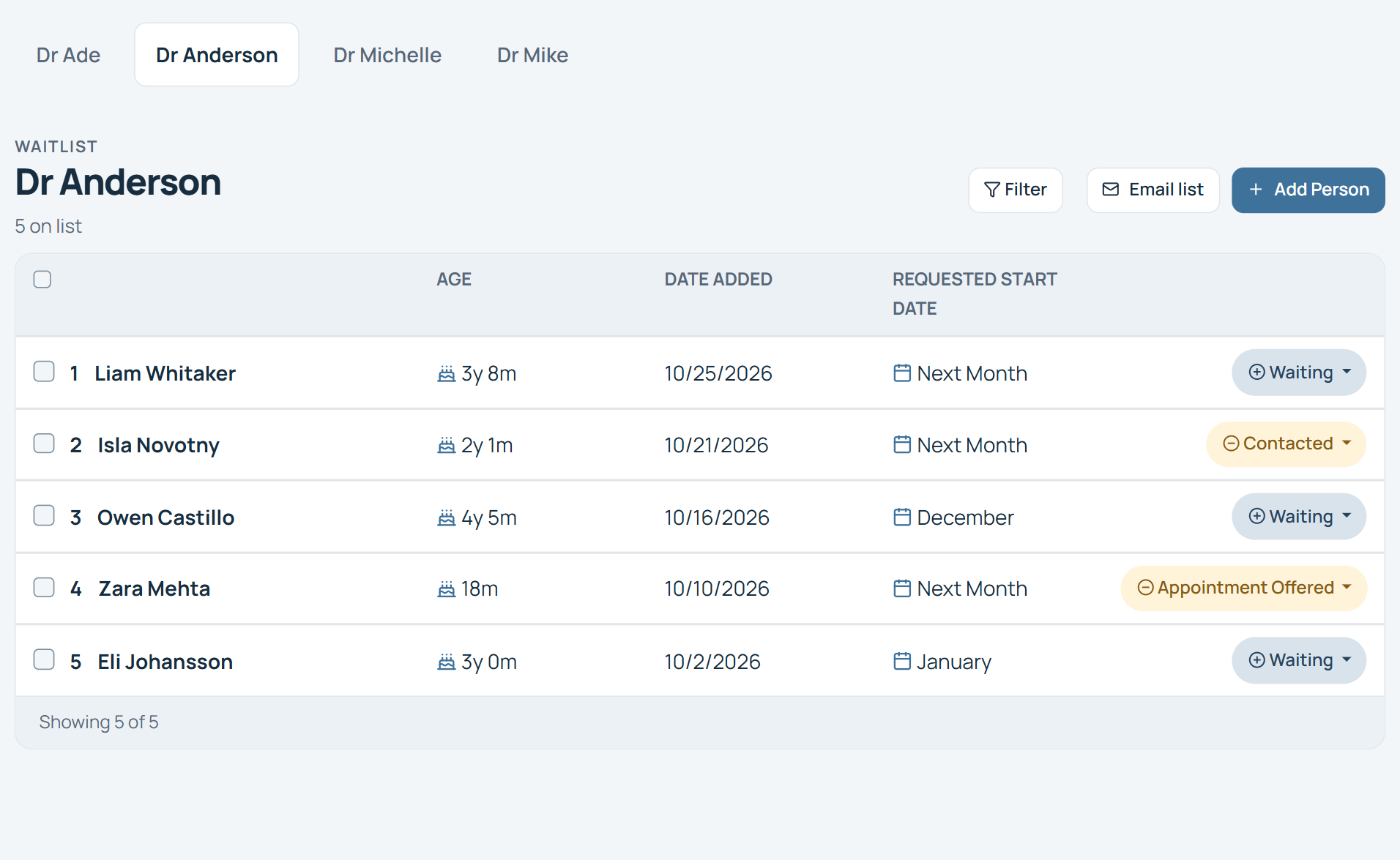
Stay connected with patients while they wait
Patient needs and availability change. Stay in touch and determine whether people still need to remain on the waitlist.
Added to waitlist
Added to waitlist
Confirmation
Confirmation
Reminder
Reminder
Confirm interest
Confirm interest
Opening available
Opening available
Contacted
Contacted
Confirmation
Confirm relevant waitlist activity.
Reminders
Reuse routine administrative messages.
Bulk communication
Contact appropriate groups where applicable.
Templates
Keep waitlist communication consistent.
Know who is still waiting
Someone may receive care elsewhere, no longer need a service, or have different availability by the time an opening appears.
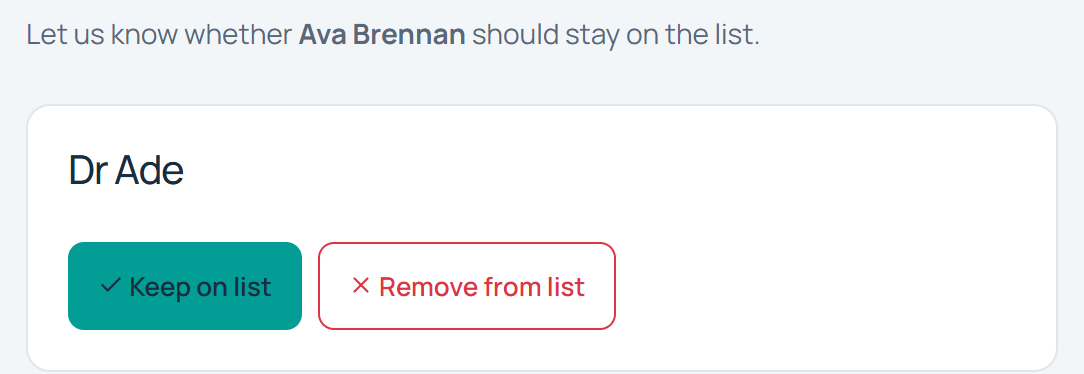
Know who has been contacted and what happened next
Configure statuses that reflect your organization’s administrative process so staff can understand where each person stands.
Waiting
Contacted
Awaiting Response
Scheduled
Removed
Reduce unnecessary administrative follow-up
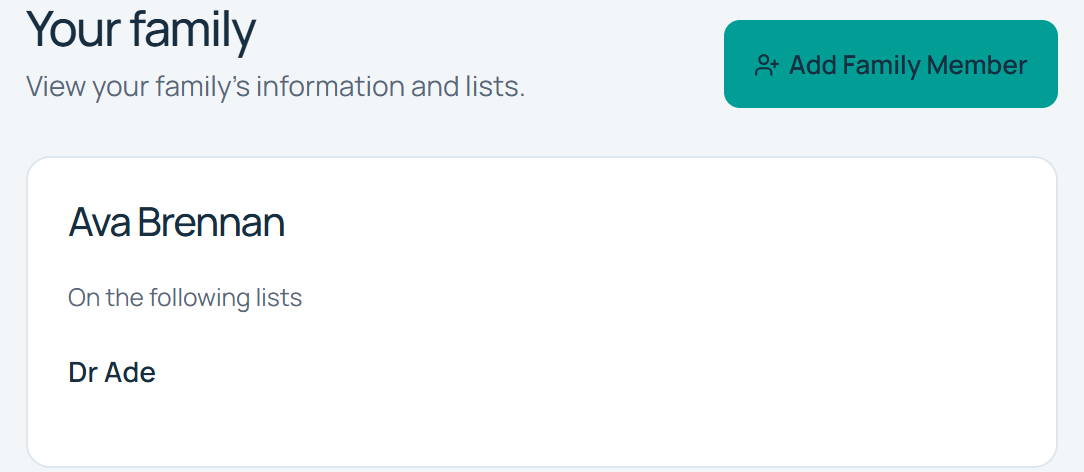
Where appropriate, self-service tools let waiting patients keep information current, confirm interest, or indicate that they no longer need to remain on the waitlist.
Your organization controls which waitlist information it shares and how self-service fits its process.
Security matters when you manage healthcare waitlists
Healthcare organizations have additional responsibilities when handling patient information. Review the safeguards, agreement, and configuration that apply to your organization.
Business Associate Agreement
A signed BAA is listed with the current Pro plan. Contact support to arrange it and confirm requirements for Enterprise.
Published security safeguards
WaitlistPlus describes HTTPS connections, Microsoft hosting, and encryption of sensitive data in its database.
Production access and maintenance
Published practices include restricting production access to a small group and regularly updating software packages.
Manage the waitlist without replacing your existing systems
Use WaitlistPlus for the people who are waiting, and your existing systems for clinical records, scheduling, and other operational workflows.
Existing healthcare systems
EHR · Practice management · Scheduling
WaitlistPlus
Waiting patients and administrative follow-up
Availability opens
Your team contacts people and completes its workflow.
Managing waitlists across multiple locations?
Enterprise offers flexible person limits, unlimited administrators, a multiple-location admin portal, and custom API integration, support, and development options.

A clearer process for waiting patients
For physician practices, specialty and medical clinics, therapy and behavioral health practices, dental practices, and other healthcare organizations managing waitlists.
WaitlistPlus complements the systems your team already uses by organizing the waitlist and its administrative follow-up.
Make your patient waitlist easier to manage
One organized list
Give staff a shared view instead of disconnected spreadsheets.
Less repetitive follow-up
Use communication tools to stay in touch.
A more current waitlist
Identify people who still need to remain on the list.
Faster administrative response
Find appropriate groups to contact when availability opens.
See how organizations use WaitlistPlus
Read verified customer feedback and explore the workflows behind it.
Frequently Asked Questions About Healthcare Waitlists
What is patient waitlist software?
Patient waitlist software helps healthcare organizations organize people waiting for an appointment, provider, service, or other availability and manage the administrative process of communicating with and contacting them.
Can WaitlistPlus manage separate lists for different providers?
Yes. Create multiple waitlists for providers, services, locations, or other administrative needs.
Can WaitlistPlus help us know who to contact when an appointment opens?
Search, filtering, priorities, statuses, and custom fields help staff identify groups of waiting patients. Your healthcare organization remains responsible for deciding whom to contact and for clinical prioritization.
Can we communicate with people on our waitlist?
Yes. WaitlistPlus provides email templates, reminders, and bulk communication for your administrative waitlist process. Your organization determines appropriate message content and communication practices.
Can patients confirm that they still need an appointment?
Yes. Communication, confirmation, and appropriate self-service tools help organizations maintain a current waitlist.
Is WaitlistPlus an EHR or scheduling system?
No. WaitlistPlus organizes waiting patients and administrative communication. Use your existing EHR, practice management, and scheduling systems for the workflows they already handle.
Does WaitlistPlus support healthcare organizations with HIPAA requirements?
Yes. Starting with our Pro plan we offer a signed BAA. Review the agreement, configuration, and your organization’s obligations with WaitlistPlus before using it for patient information.
Is a Business Associate Agreement available?
Yes, A signed BAA is included with a Pro plan. Contact support to arrange the agreement and confirm requirements for your organization.
Can WaitlistPlus support multiple healthcare locations?
Yes. we support multiple locations at any plan level, but an Enterprise plan offers multiple-location admin portal with advanced capabilities.
Ready for a better way to manage your patient waitlist?
Keep waiting patients organized, stay in touch, and give your team a clearer process when availability opens.