
Collect fees when customers join your waitlist.
Add optional payment collection to your online signup process and keep waitlist applications and payment information connected in one place.
14-day free trial · No credit card required
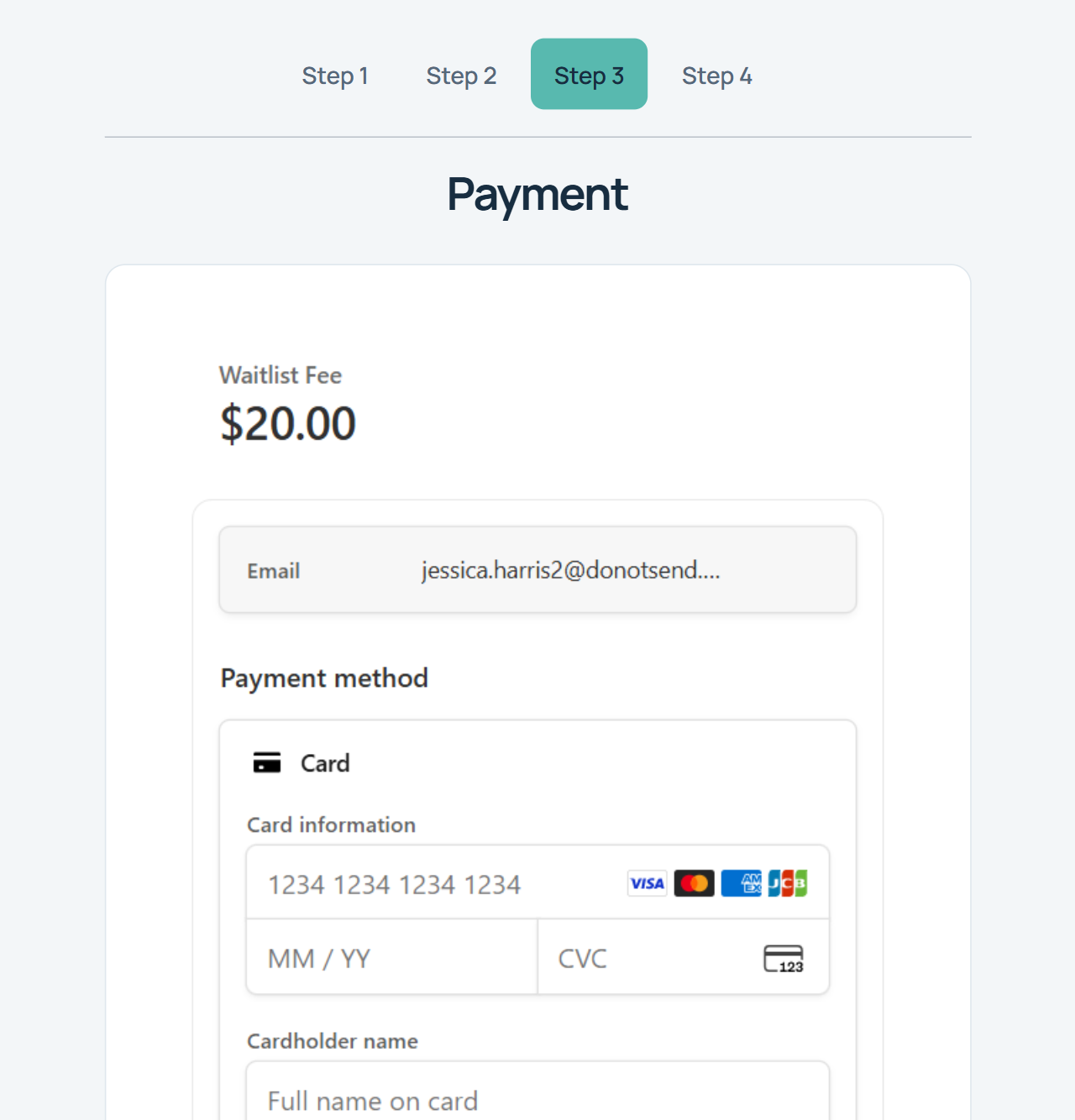
Signup and payment in one process
If your organization charges a waitlist, registration, or application fee, you shouldn't have to send customers to a separate process and manually determine who paid.
WaitlistPlus can collect an optional fee during signup and keep payment information connected to the customer's waitlist record.
Easier for customers
Complete signup and payment together.
Easier for staff
Keep payment information connected to the waitlist.
Fewer manual steps
Reduce the need to reconcile separate signup and payment systems.
From signup to payment in a few simple steps
Customer Joins
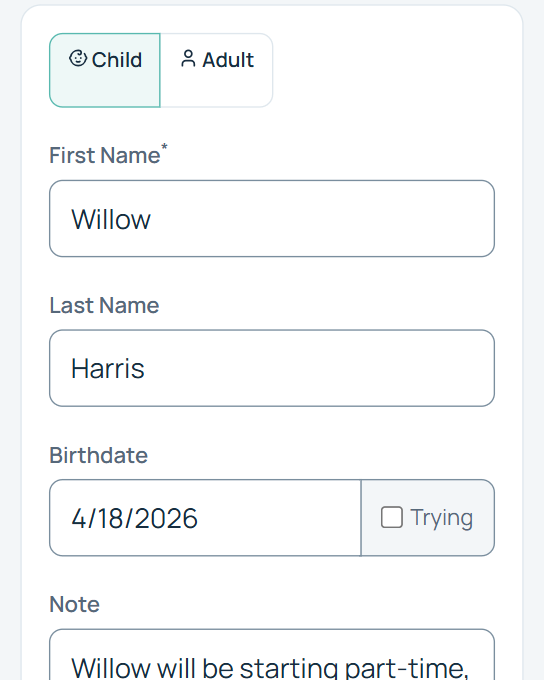
The customer completes your WaitlistPlus signup form.
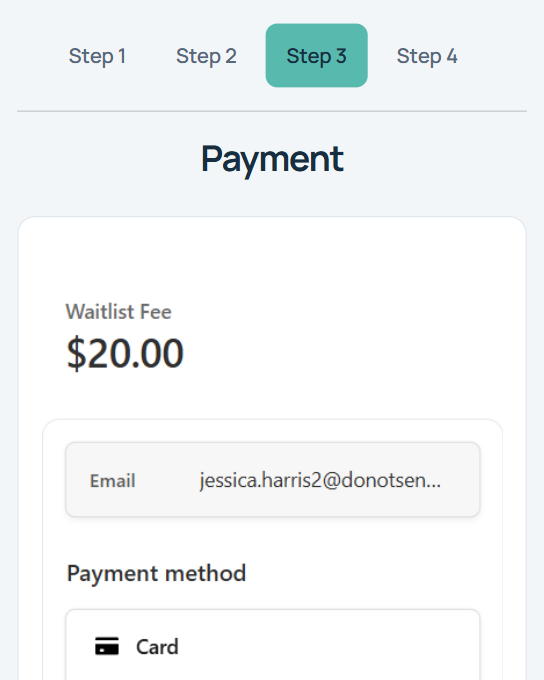
Fee Is Presented
If your signup process requires a fee, the customer is prompted for payment.
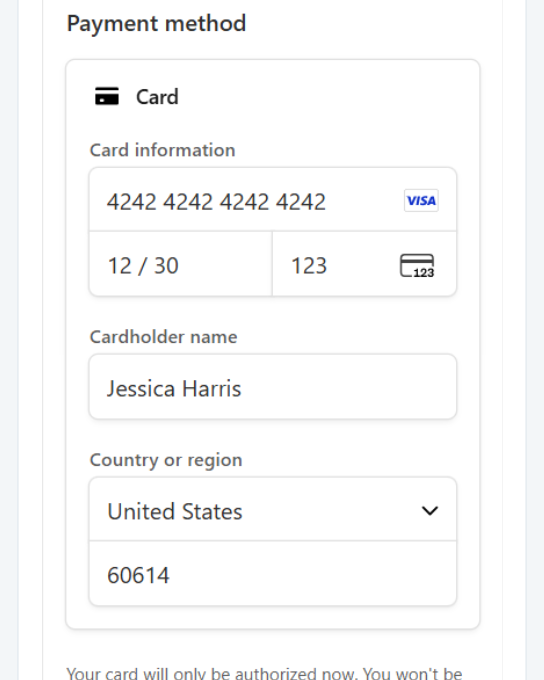
Customer Pays Online
The customer completes payment using available payment methods.
Payment Is Recorded
Payment information stays connected to the customer's WaitlistPlus record.
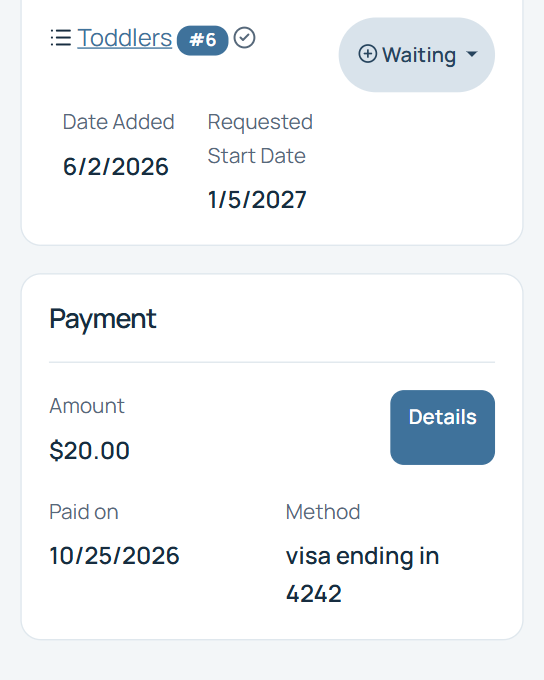
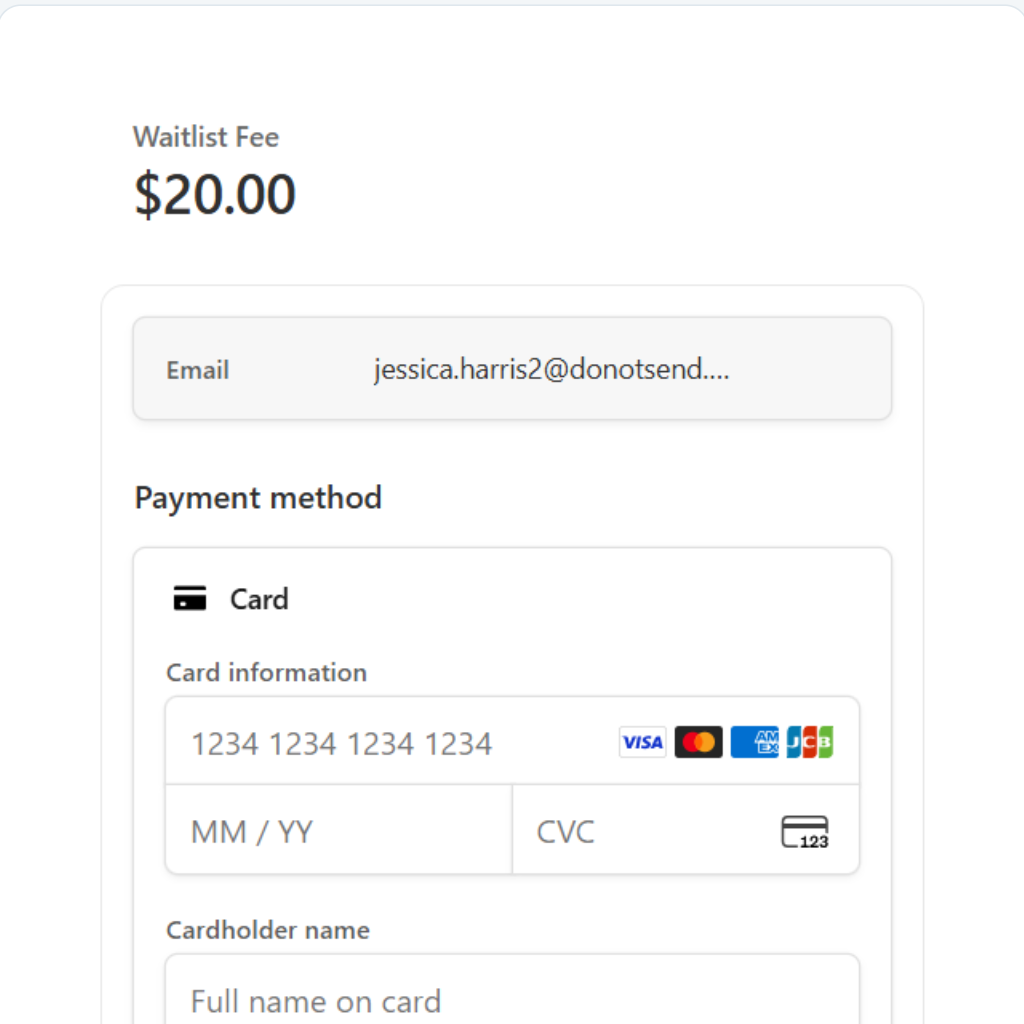
Make paying as easy as signing up
Customers provide payment as part of your signup process using supported payment methods.
WaitlistPlus uses Stripe to process payments and distribute payouts to your connected bank account.
Keep track of who’s paid
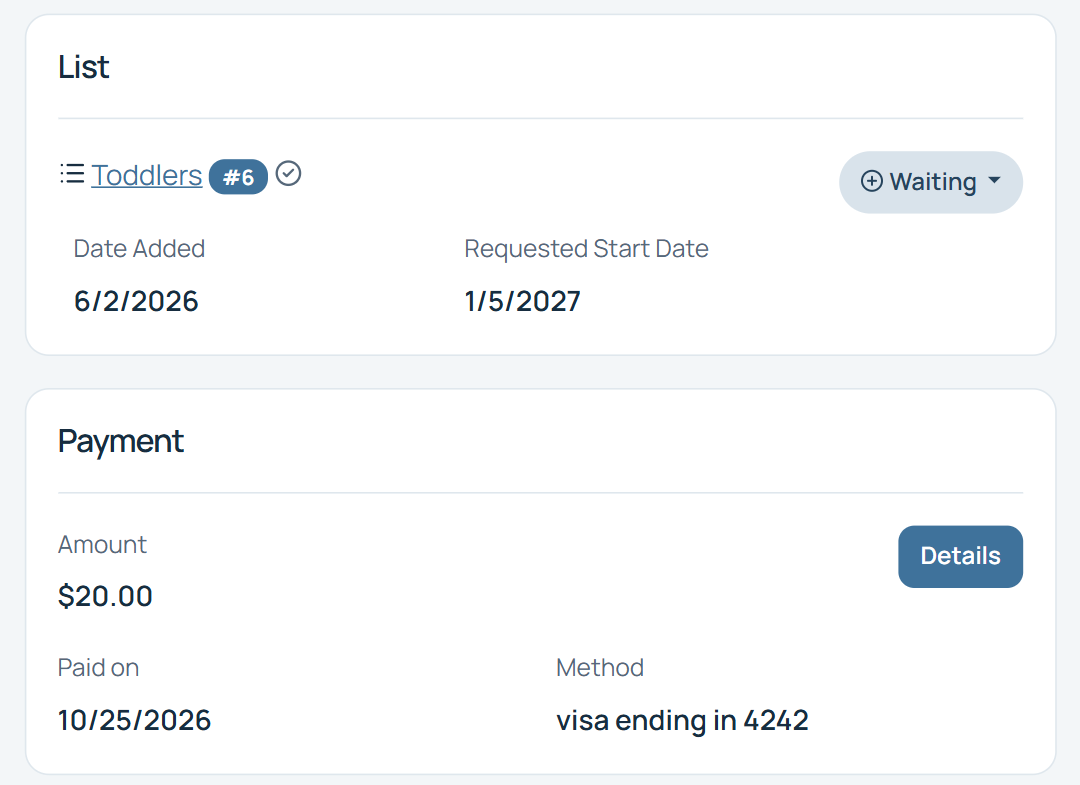
Review payment information alongside the people on your waitlist.
Payment status
See payment information connected to customers.
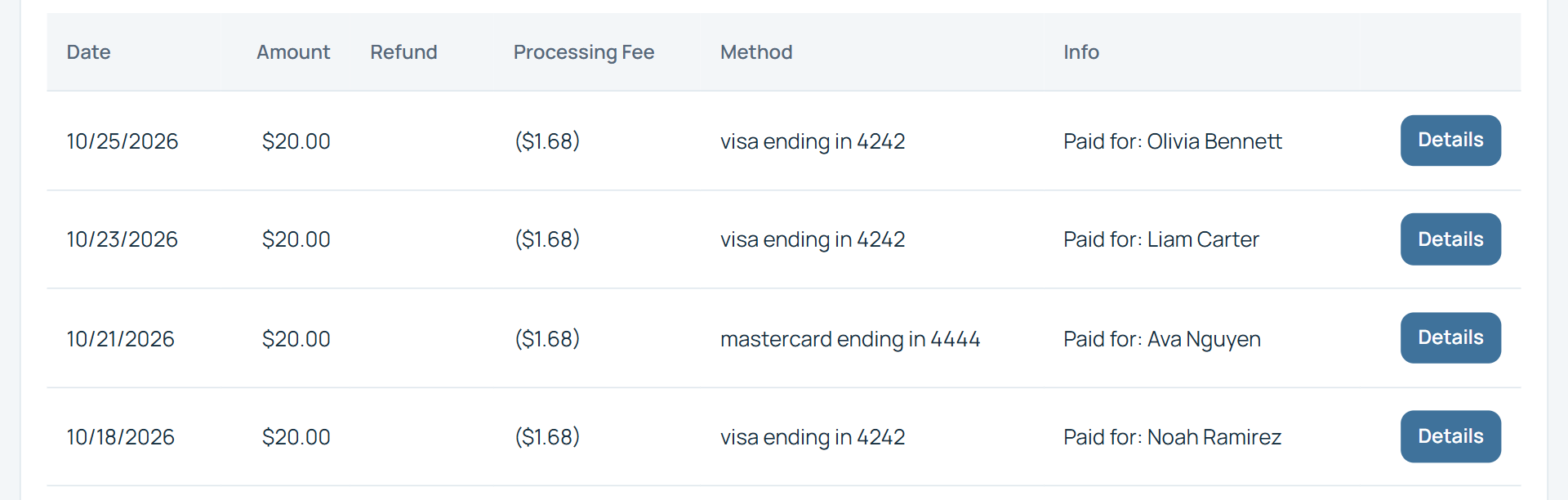
Payment history
Review relevant transaction information.
Manual payments
Record payments received outside the online process where supported.
Reports
Use available payment reporting tools.
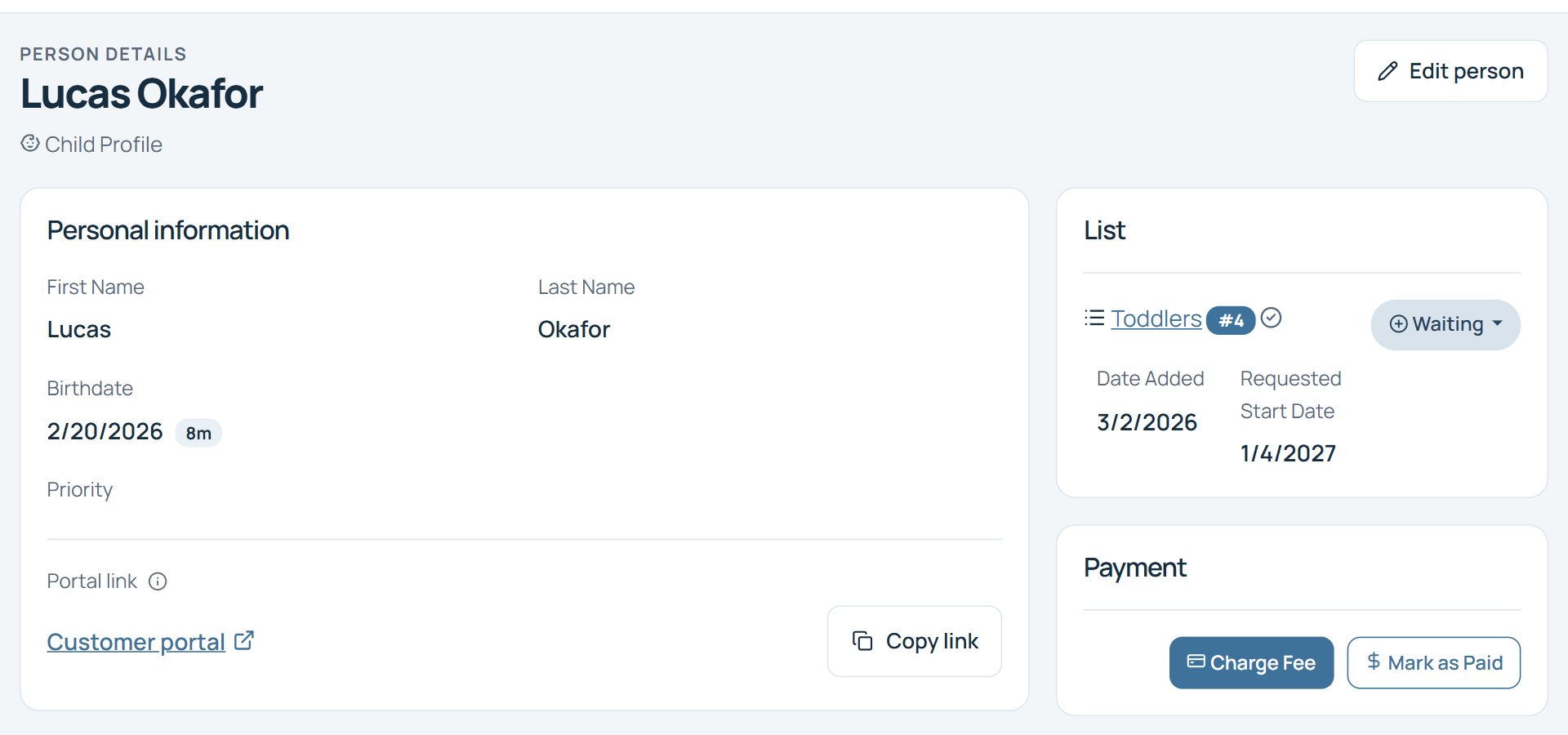
Record a payment received another way
Use Mark as Paid on a customer record to enter the amount, date, and relevant payment notes.
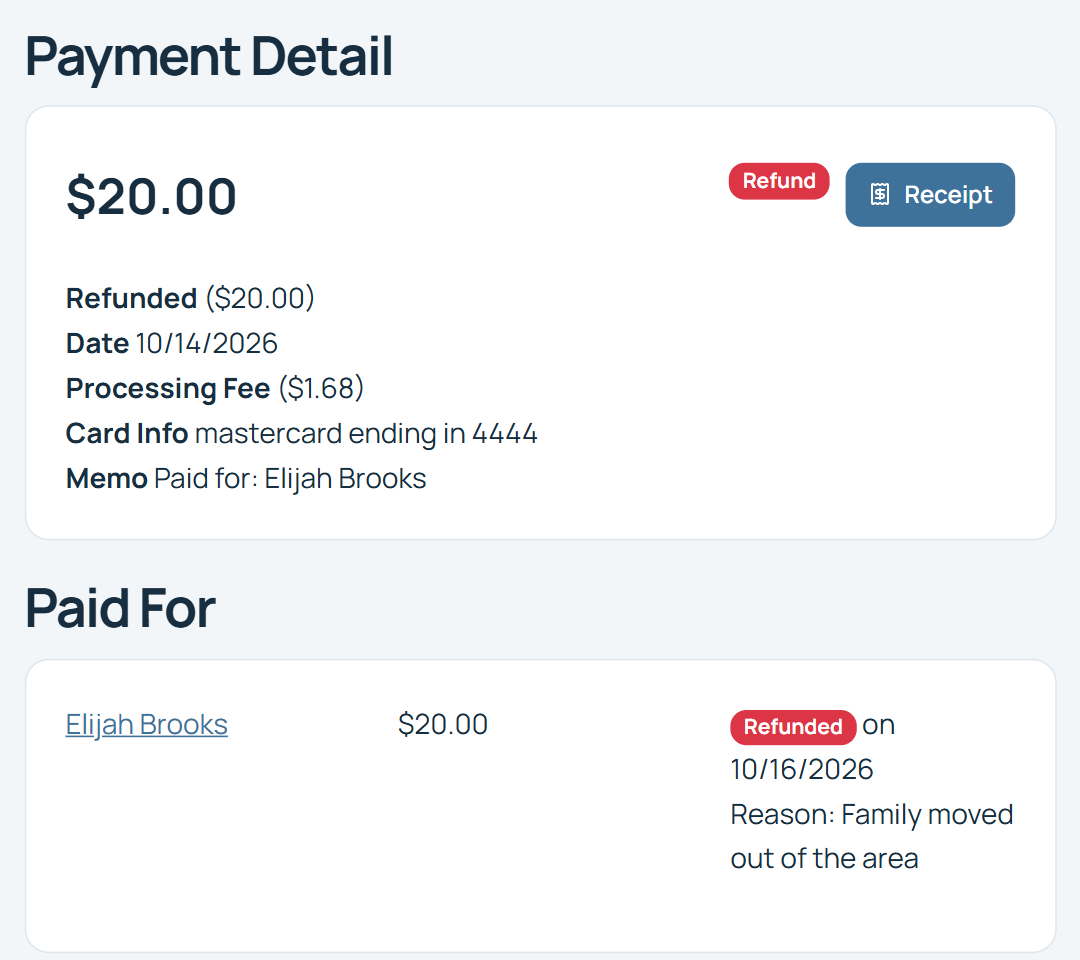
Handle refunds without losing the connection to the waitlist
Open the payment details from a customer record, the payments widget, or the payment report to manage an eligible refund.
Refund the full payment, or the amount for an individual person when one payment covers multiple people. The payment detail keeps the transaction connected to the people it paid for.
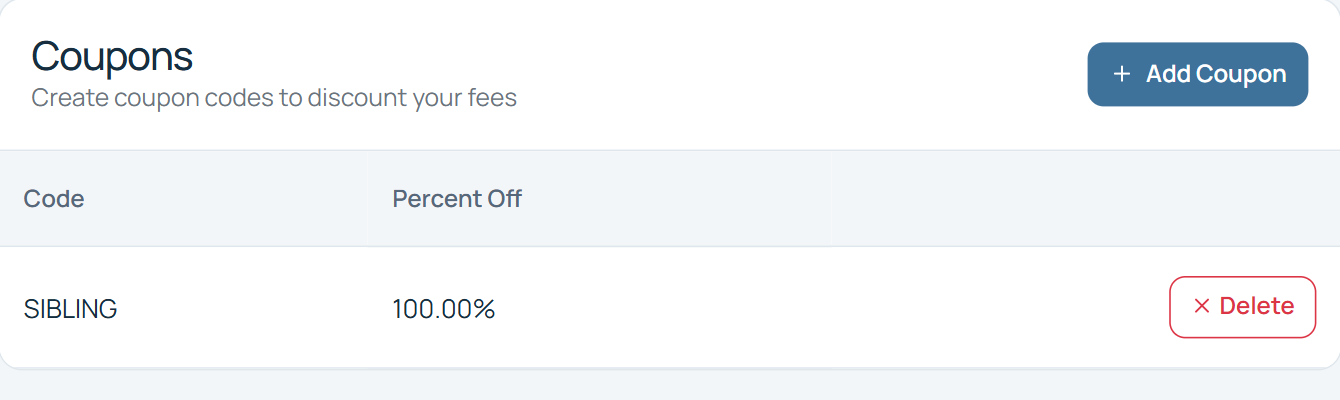
Add flexibility when you need it
Create coupon codes to discount or waive your signup fee. Manage codes in your fee settings.
Don't charge a waitlist fee? No problem.
Payment collection is optional. Organizations that don't charge a signup or waitlist fee can use WaitlistPlus without adding payment to their signup process.
More than a payment form
Because payment is part of WaitlistPlus, your staff can manage the customer's signup, waitlist information, communication, and payment status within the same overall process.
Online Signup
Online Signup
Payment
Payment
Waitlist
Waitlist
Communication
Communication
Enrollment
Enrollment
Useful anywhere a waitlist or application includes a fee
Childcare
Collect optional waitlist or application fees from families during signup.
Schools & Programs
Collect applicable registration or application fees as part of the signup process.
Other Organizations
Use payment collection when joining your organization's waitlist requires a fee.
Keep signup, payments, and next steps together
Online Signup
Collect customer information and optional payment together.
Waitlist Management
Keep paid applicants organized after signup.
Email & Communication
Send confirmations and continue communicating after signup.
Frequently Asked Questions
Optional payment collection, connected to your waitlist.
Can I charge customers to join my waitlist?
Yes. Organizations that charge a waitlist or signup fee can optionally collect payment through WaitlistPlus.
Do I have to charge a signup fee to use WaitlistPlus?
No. Payment collection is optional.
Can customers pay online?
Yes. WaitlistPlus supports online payment as part of the signup process using supported payment methods.
Can I issue refunds?
WaitlistPlus includes functionality for managing refunds for eligible payments.
Can I create coupons for customers to use?
Yes. WaitlistPlus supports coupon functionality for applicable signup payments.
Can I record a payment received another way?
Where supported, administrators can record manual payment information so it remains associated with the customer's record.
Is payment information connected to the customer's waitlist record?
Yes. One of the primary benefits of WaitlistPlus payments is keeping signup and payment information connected within the waitlist process.
Make signup and payment
one simple process
Collect optional fees online while keeping applications, payments, and waitlist information connected.