
Childcare Waitlist Management Made Simple
Manage age-based waitlists, parent applications, family information, communication, and enrollment—all in one place built to handle the way childcare waitlists actually work.
14-day free trial · No credit card required
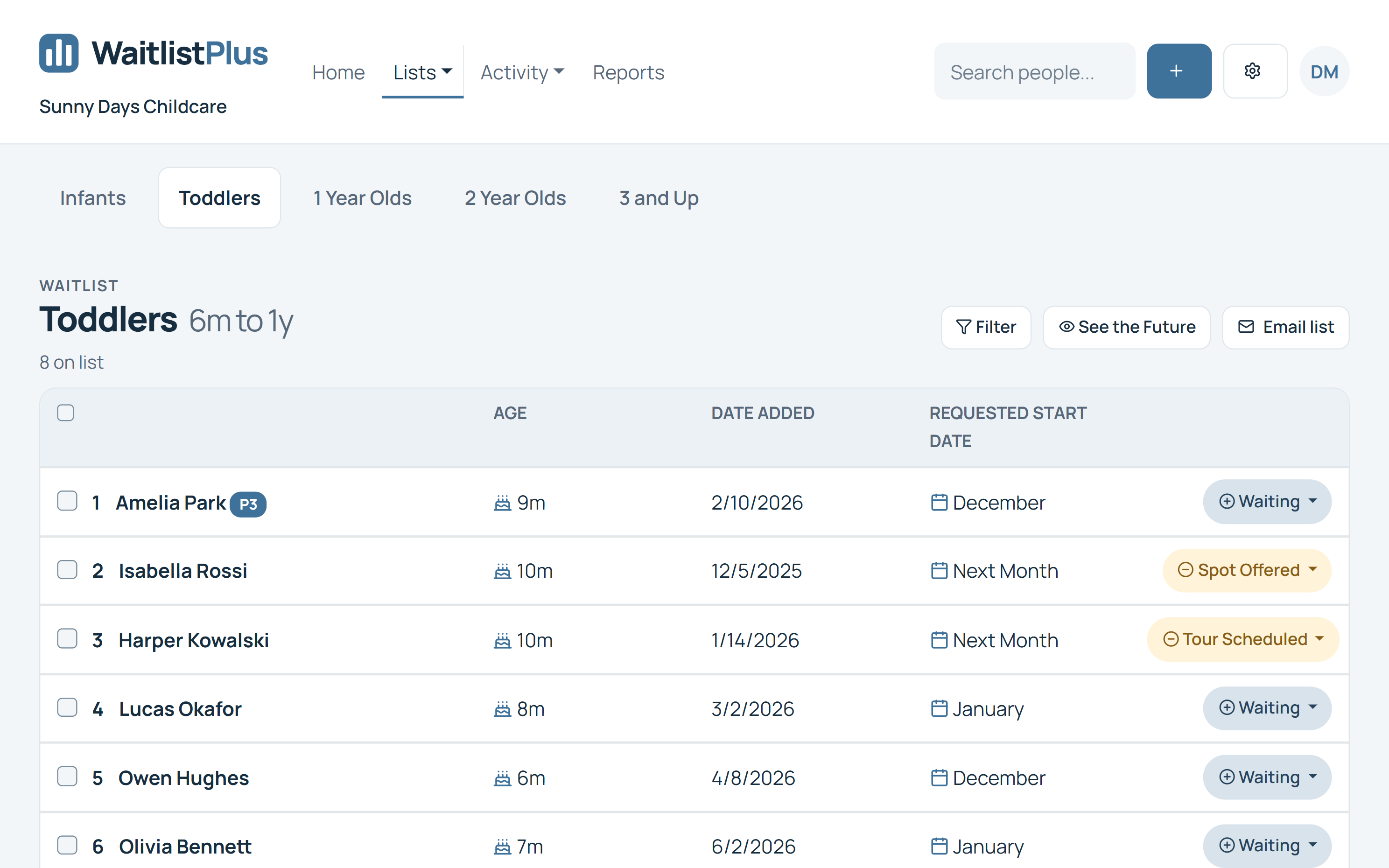
Childcare waitlists are more complicated than a list of names
A childcare opening isn't simply offered to the next person in a spreadsheet. The child has to fit the available classroom, age requirements, desired start date, and your center's priorities—and the family still has to want the opening.
When that information lives across spreadsheets, emails, forms, and notes, filling an opening becomes unnecessarily difficult.
Children keep growing
An infant today may need a toddler or preschool classroom by the time care becomes available.
Families need care at different times
Joining the waitlist isn't the same as needing care right now.
Priorities aren't always first-come, first-served
Sibling status, programs, and center-defined preferences can affect who you contact.
Families’ plans change
Parents may find care, change their desired start date, or no longer need an opening.
From parent signup to enrollment
Manage the entire childcare waitlist process in one system.
Collect
Parents join your waitlist online. Collect child, parent, and desired enrollment information.
Organize
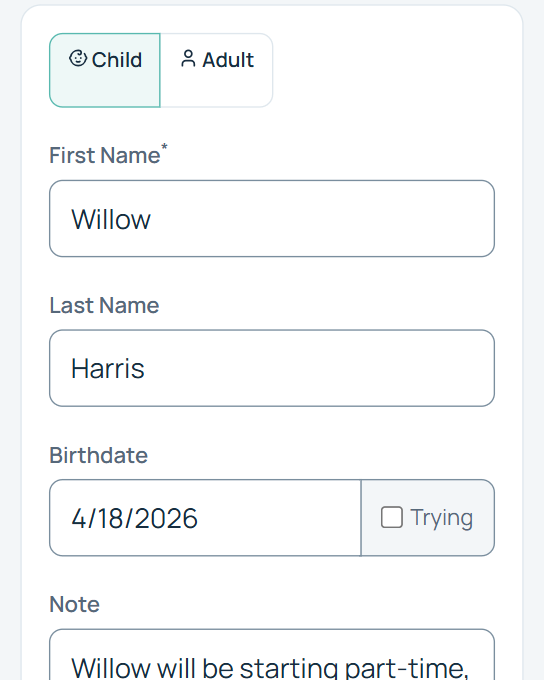
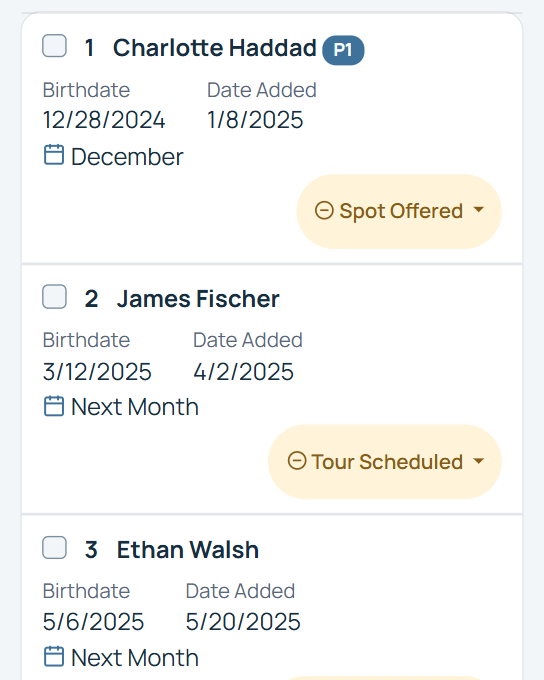
Put children on the right lists using ages, birthdates, dates, and priorities.
Communicate
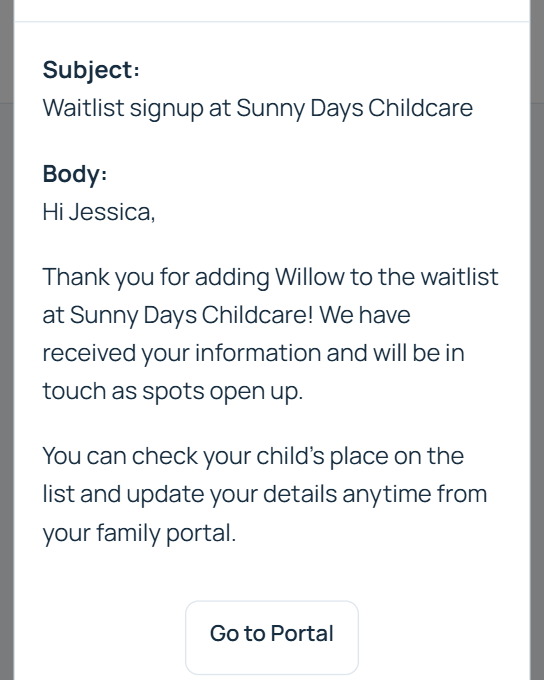
Keep families informed with signup confirmations, reminders, and updates.
Enroll
Track families from waitlisted to contacted, offered, and enrolled.
A waitlist that understands children grow
A child’s eligibility changes over time. Use age and birthdate information to keep your lists useful as children grow.
Infant
Toddler
Preschool
Pre-K
With Age placement configured, children move to the appropriate list as they get older. Configure your center’s ranges instead of repeatedly rebuilding a spreadsheet. Manual lists remain manually managed.
Age ranges
Set the groups your center uses.
Birthdate-based placement
Use birthdates to support list placement.
Changing eligibility
Keep lists relevant as children grow.
Multiple age groups
Organize the programs your center needs.
Start planning before a child is born
Childcare searches often begin months before care is needed. WaitlistPlus supports unborn-child entries using a due date or a “trying” entry.
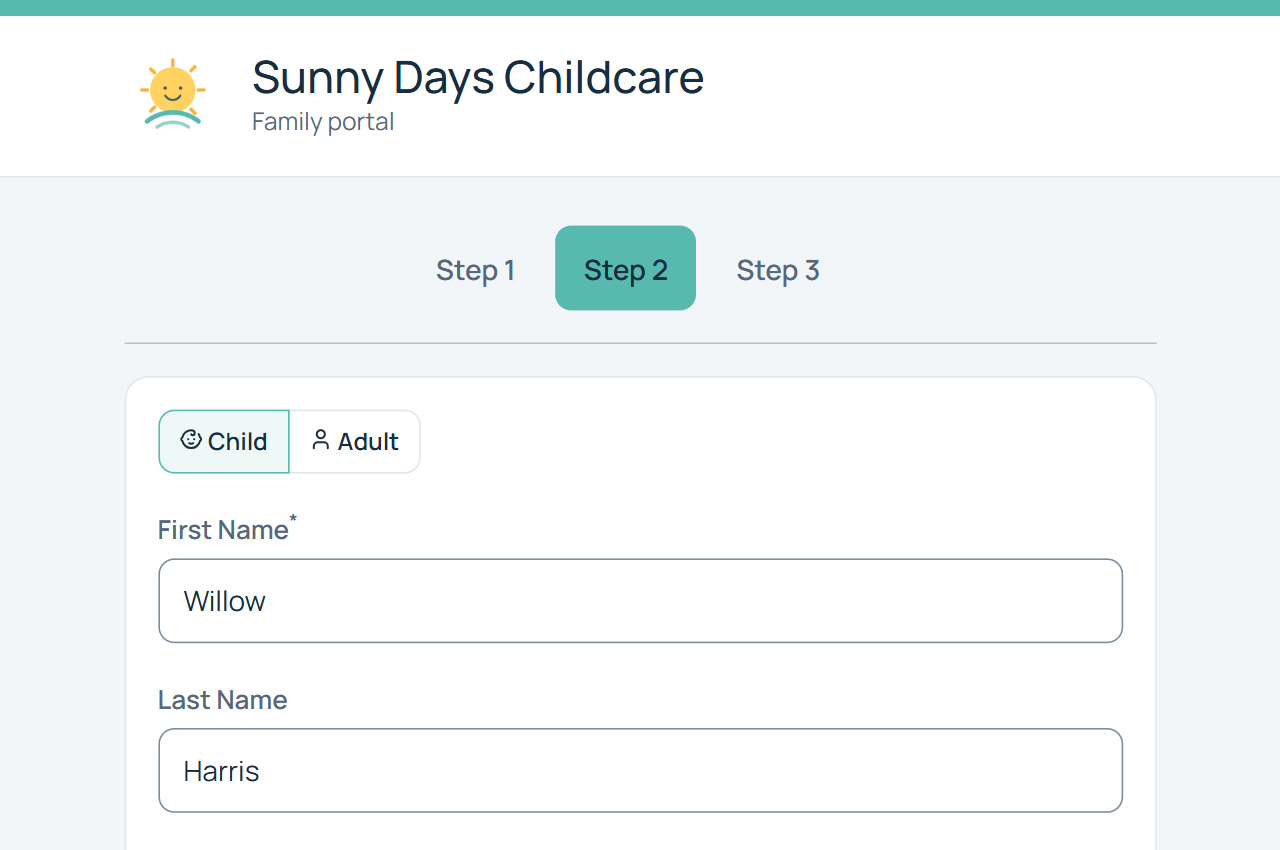
Give parents an easy way to join your waitlist
Let parents sign up online from their phone, tablet, or computer, instead of collecting details by phone or copying another form.
Keep families together—not scattered across your waitlist
Childcare enrollment can involve multiple children and parents or guardians. Keep related family information organized.
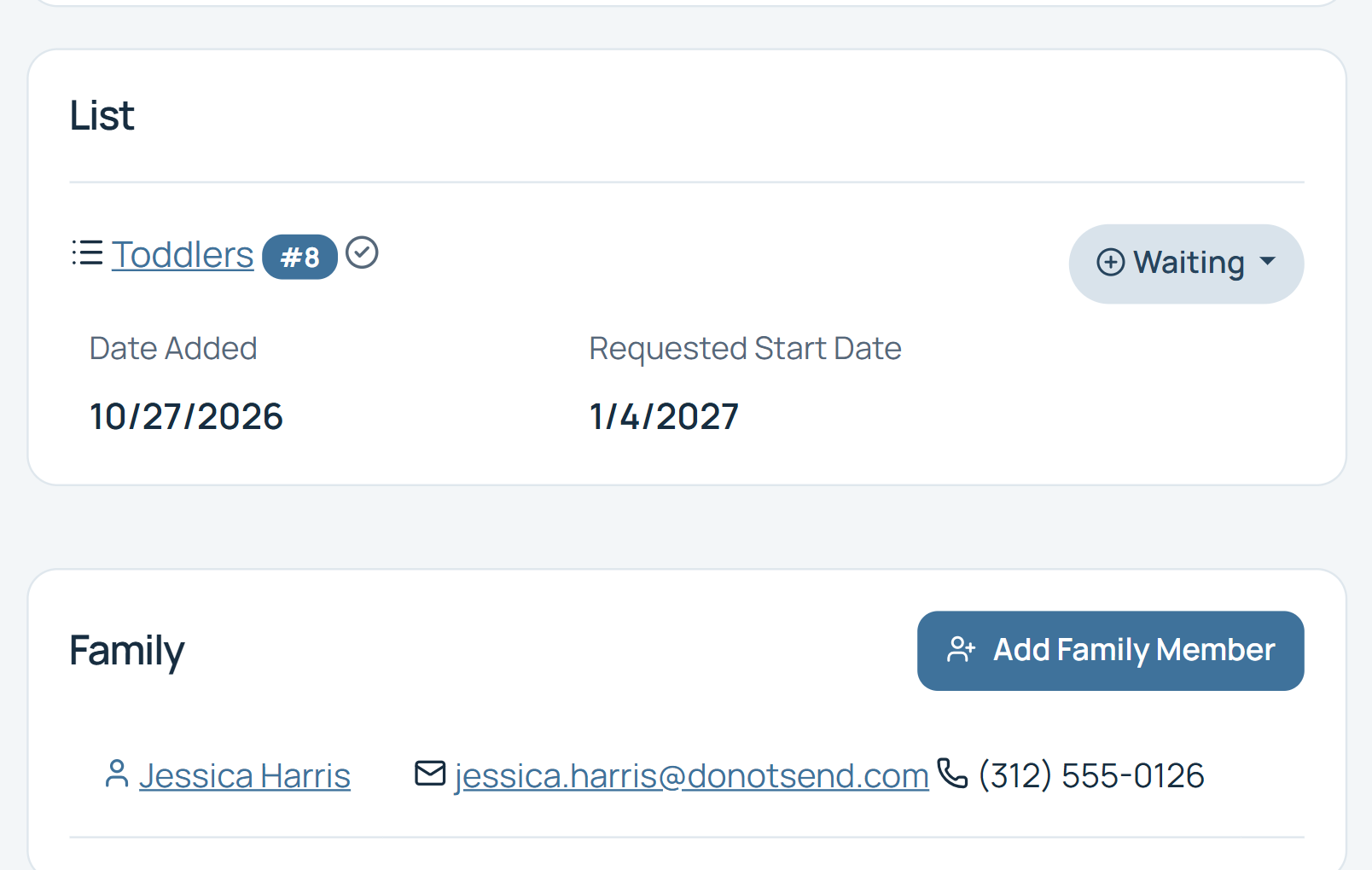
Know when families actually need care
Joining your waitlist today doesn’t necessarily mean a family needs care today. Desired enrollment dates help your team understand when an opening would fit.
Review desired start dates alongside age, program, and priority when evaluating an upcoming opening. Your team makes the enrollment decision.
Manage the priorities that matter to your center
Childcare waitlists aren't always strictly first-come, first-served. Organize families according to the process your center uses.
Configurable examples
Examples only. Your center defines its own priorities.
Make priorities easy to work with
Keep families informed while they wait
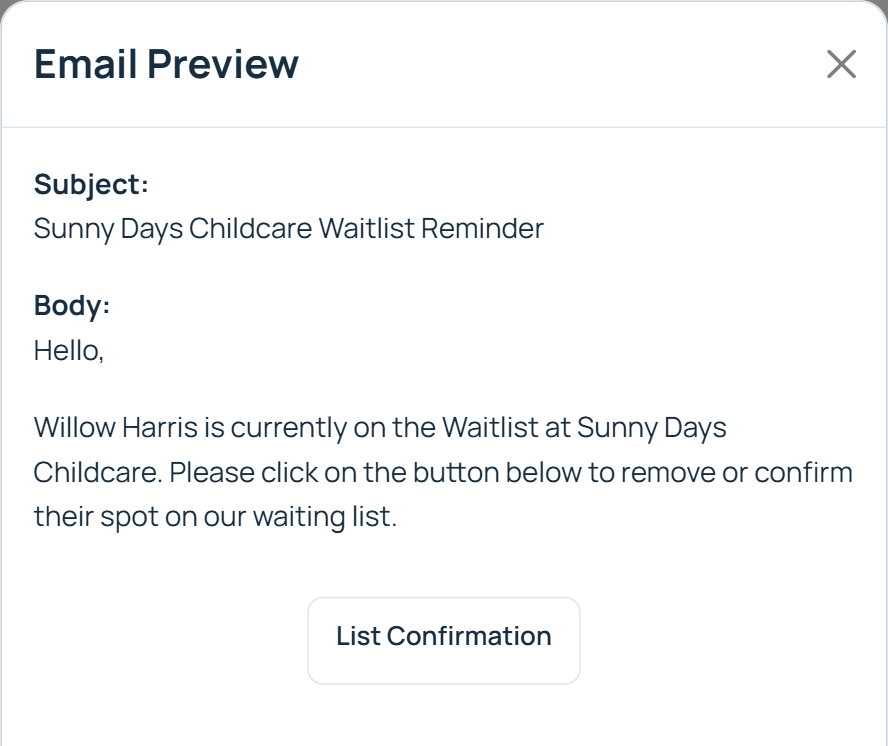
A family may spend months on a childcare waitlist. Consistent communication helps parents stay informed and your center understand who remains interested.
Signup confirmation
Signup confirmation
Reminder
Reminder
Confirm interest
Confirm interest
Opening available
Opening available
Enrollment
Enrollment
Signup confirmations
Let parents know their signup was received.
Automated reminders
Stay in touch without writing to each family.
Bulk communication
Send relevant updates to groups of families.
Reusable templates
Keep communication consistent.
Find out who's still waiting before you have an opening
A list of names is only useful when you know whether those families still need care. Use reminders, interest confirmations, customer removal, and list cleanup to keep information current.
After: an organized waitlist with current statuses and family responses
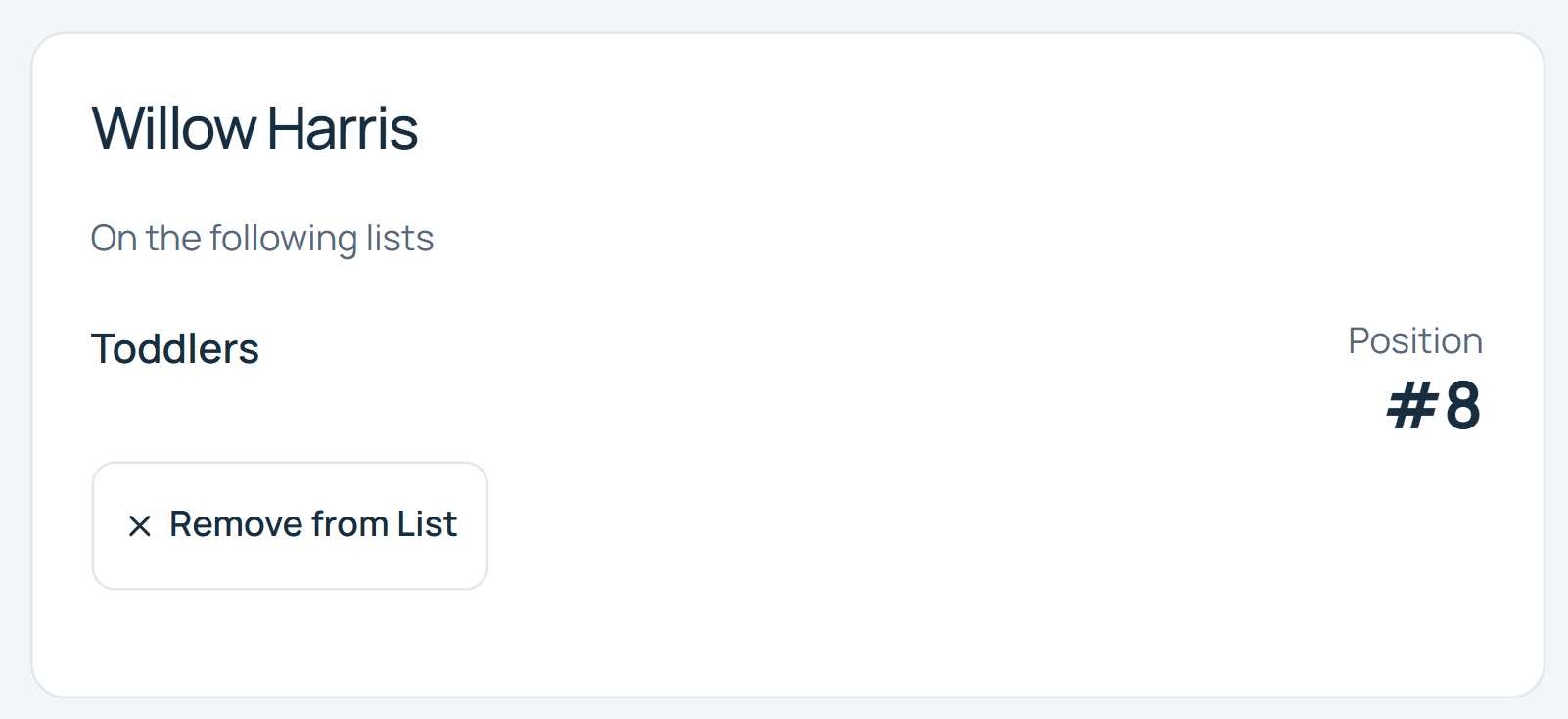
Give parents a better waitlist experience
Give families self-service tools so routine requests don’t always require a call to your staff.
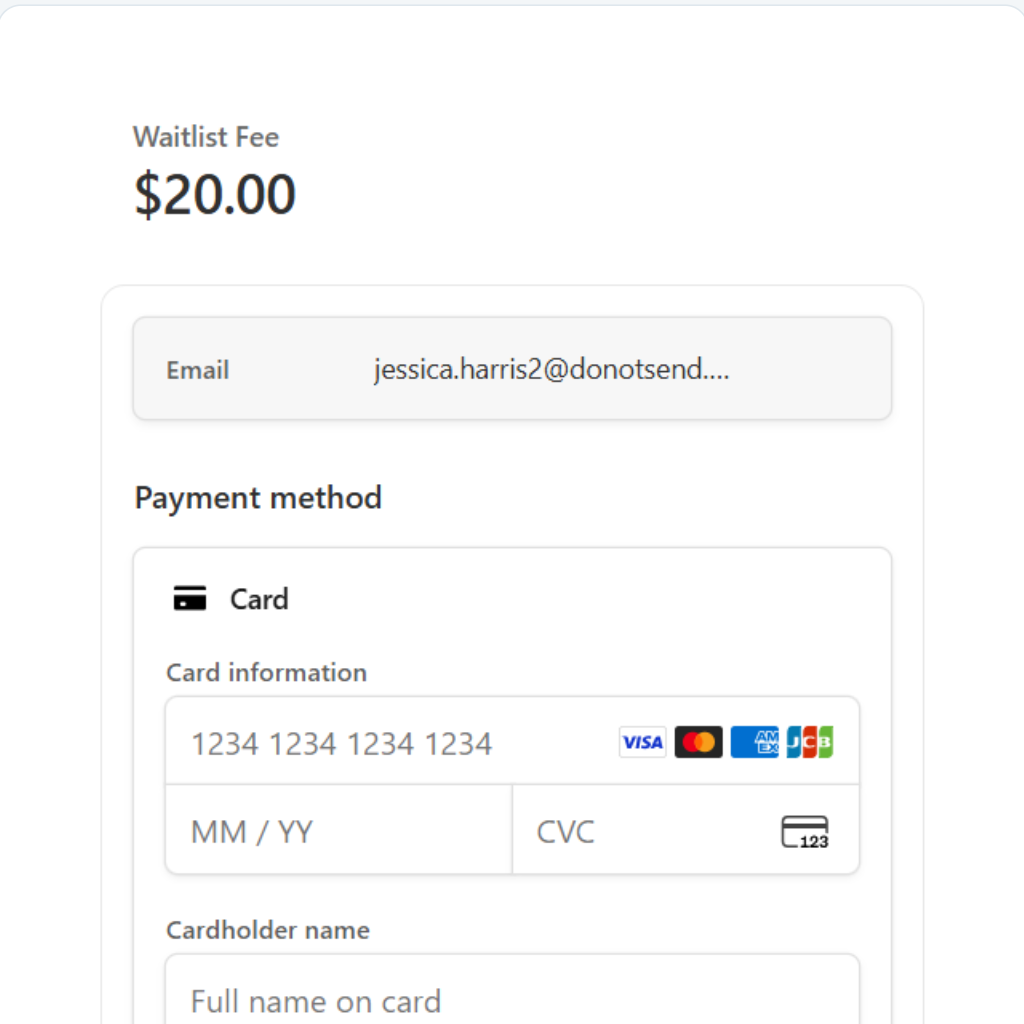
Charge a waitlist fee if your center uses one
Collect an optional application or waitlist fee as part of online signup.
The goal isn't a bigger waitlist. It's filling your openings.
Move the right families through your enrollment process while keeping everyone organized.
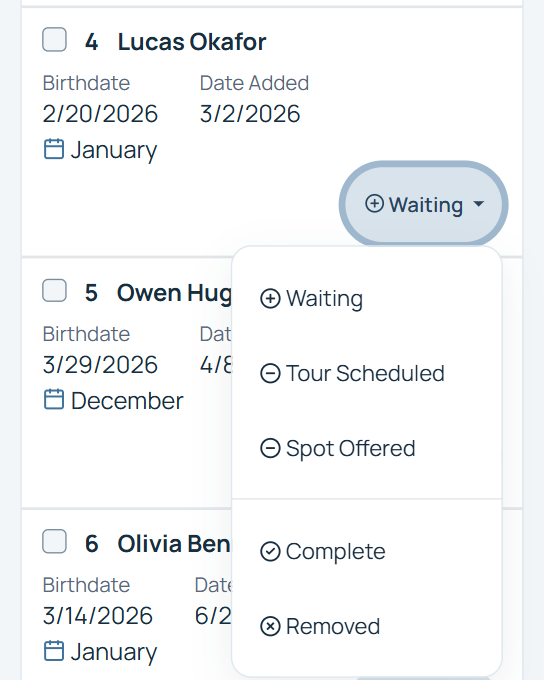
Create statuses that match your center’s process. See who has been contacted, who is considering an offer, and who has enrolled.
Managing more than one childcare location?
WaitlistPlus supports multi-location organizations in all of our plans. If you have many locations, you may be interested in our Enterprise plan. Reach out to our support team to discuss multiple administrators, centralized administration, integration needs, Enterprise options, and support for your setup.
Spend less time administering your waitlist
Less manual data entry
Let parents enter their own information online.
Fewer repetitive calls and emails
Use automated communication and customer self-service.
A more useful waitlist
Organize children by the information that matters to your center.
Fill openings more efficiently
Give your team the information it needs when a place becomes available.
See how organizations use WaitlistPlus
Read verified customer feedback and explore the workflows behind it.
Simple pricing for childcare organizations of different sizes
Whether you're managing one center or multiple locations, choose the WaitlistPlus plan that fits your organization.
Frequently Asked Questions About Childcare Waitlists
Practical answers for daycare, preschool, and early childhood teams.
What is childcare waitlist software?
Childcare waitlist software helps centers collect family applications, organize children waiting for care, communicate with parents, and manage the process of filling available openings.
How does WaitlistPlus manage age-based childcare waitlists?
Configure age ranges for your lists. WaitlistPlus uses a child’s birthdate to place them on an age-based list and moves them as they grow. Your center sets the list configuration.
Can parents join our childcare waitlist online?
Yes. Parents can use an online signup form from a phone, tablet, or computer.
Can we collect information about both the child and parents?
Yes. Collect parent contact details, child information, and center-specific information using configurable form fields.
Can siblings be managed together?
Yes. Family-management capabilities help you keep related parent and child information organized, including children on different lists.
Can we manage unborn children on our waitlist?
Yes. WaitlistPlus supports unborn-child entries using a due date or a “trying” entry. Keep future care needs alongside your other family information.
Can children automatically move between age-based lists?
Yes. With Age placement configured, children move to the appropriate list as they get older. This depends on your configured age ranges; manual lists require manual placement. Children who become too old for all configured age lists are removed from those lists.
Can parents confirm that they still need childcare?
Yes. Reminder communication and confirmation tools help families indicate continued interest or remove themselves when their plans change.
Can we send emails to families on our waitlist?
Yes. Use signup confirmations, reminders, reusable templates, and bulk email to stay in touch.
Can we charge a childcare waitlist fee?
Yes. If your center charges an application or waitlist fee, you can optionally collect payment online during signup.
Can WaitlistPlus manage multiple childcare locations?
Yes. WaitlistPlus supports multi-location use cases, with Enterprise options for larger organizations. Contact us to discuss administration and integration requirements.
Is there a free trial?
Yes. Start a 14-day free trial with no credit card required.
Ready to simplify your childcare waitlist?
Organize children, keep families informed, and manage your next opening with a clearer process.